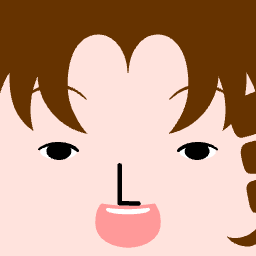
A great profile icon is more than just a piece of art; it is your digital identity. On modern social platforms like Discord, TikTok, or Twitter, your avatar is scaled down to tiny dimensions, often inside busy user lists, notification tabs, or comment grids. In these spaces, a standard circular crop can cut off key details of a photo or illustration, leading to a cluttered and unrecognizable look. This is why square face icons have exploded in popularity—their bold boundaries, symmetrical alignment, and crisp shapes remain highly readable even at 32x32 pixels.
When you design a square face avatar, the first step is choosing a strong base and utilizing the corners of the grid. Unlike traditional characters with round shoulders and organic contours, square art uses rigid vertical and horizontal block guidelines to build a sense of structure. Hair, caps, glasses, and hoods should align cleanly to these edges. This alignment ensures that the character occupies the maximum printable area of the image slot, making it look larger and more distinct than standard icons.
High-contrast color selection is the second core principle of creating a readable profile icon. You should always limit your color palette to three primary colors plus one accent color. For instance, choose a primary shade for the skin tone, a contrasting shade for the hair, and a third matching shade for the clothing. The single high-contrast accent color is reserved for small details that need to pop, such as the eyes or accessories like glasses and clips. A common mistake is using too many similar shades; when skin and hair tones are too close, the avatar loses its definition and appears flat at small sizes.
Proportions and facial expressions dictate the character's personality. By adjusting the positioning of the eyes, eyebrows, and mouth on the grid, you can convey a wide range of emotions. Lowering the eyebrows close to the eyes creates a focused, serious, or determined gaze. Raising the eyebrows slightly and widening the eyes softens the expression, giving the character a friendly and open vibe. If you are creating a matching set of avatars for a gaming clan or a company roster, keeping the eye shapes consistent while changing only the hairstyles and background colors creates a cohesive collection that looks incredibly professional.
Finally, you must test your square face avatar in real-world environments. A design that looks beautiful in a large preview window might lose its clarity when placed on a dark Discord theme or a bright mobile interface. Our tool renders the design using WebAssembly-based Ruffle to emulate classic vector assets locally in your browser, ensuring that the exported PNG has sharp, pixel-perfect edges. Try exporting a few variants, previewing them in actual chat lists, and choosing the one that remains most recognizable in context.
Ready to design? Start creating your signature avatar on our Square Face Generator homepage, or try making a cute pet icon with our specialized Cat Icon Maker.